

Well, before you do anything drastic, you might want to know there is now an "Undo Send" button in Gmail!
The new Undo Send button has been in development for a while at Google, and now it has finally hit the market. Granted, it only gives you 30 seconds to reverse that email and correct your embarrassing mistake before anyone ever sees it, but that 30 seconds could mean the difference between new business or egg on your face.
Here's how to find it:
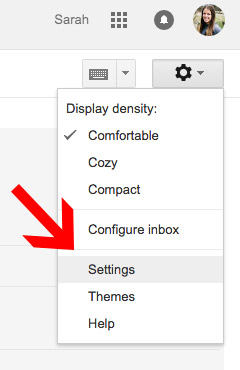
Log into your Gmail account, and click the wheel icon in the top right corner. Then, click Settings.

Scroll down about half way, and turn ON the Undo Send feature, selecting either a 5, 10, 20, or 30 second timeframe.
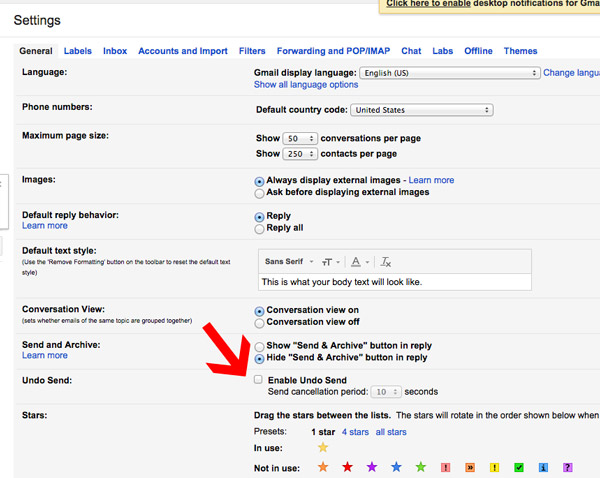

Save changes.
Now, when you send an email, a notification will appear at the top of your screen letting you know your message has been sent, but ALSO an option to Undo it.
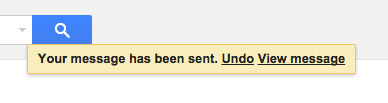
This appears to be the only way to actually Undo your sent email, so be sure you don't miss it. You've only got a few seconds anyways, so think fast!
As a caution, Google was sure to note " "Undo send" may not work if you experience connection issues. " Let's hope you've got a good internet connection.